
Add visuals to your blog
with AI
Paste your post and get the exact prompt for every blog image it needs, a cover, an infographic, a chart, a diagram, a quote card, all matched to your topic. Graphics and infographics that don't look AI, rendered in one click. Free.




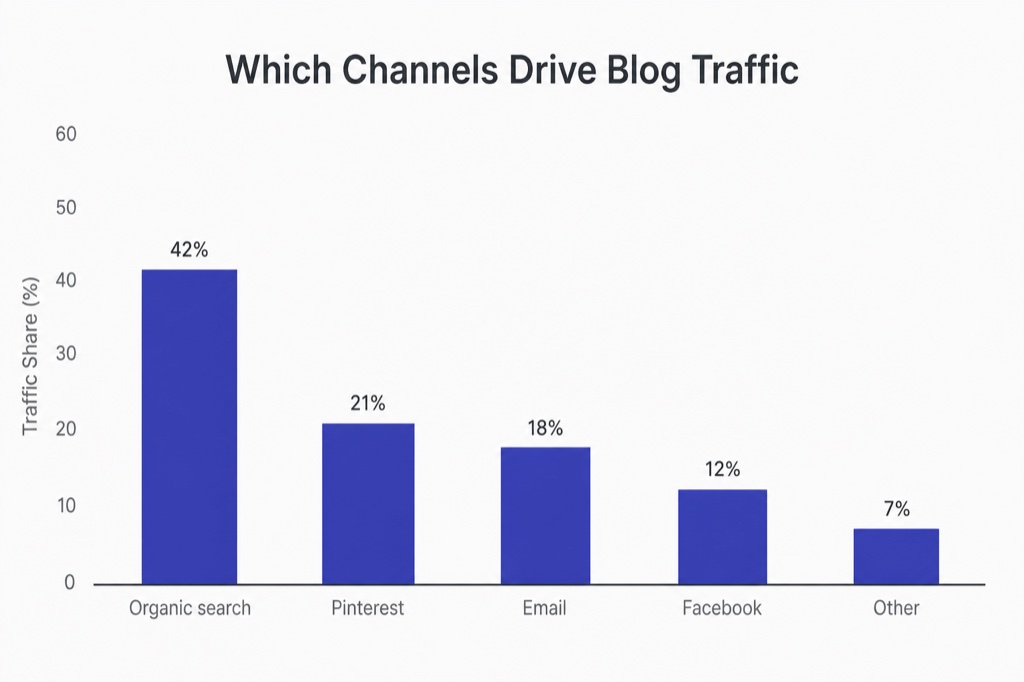
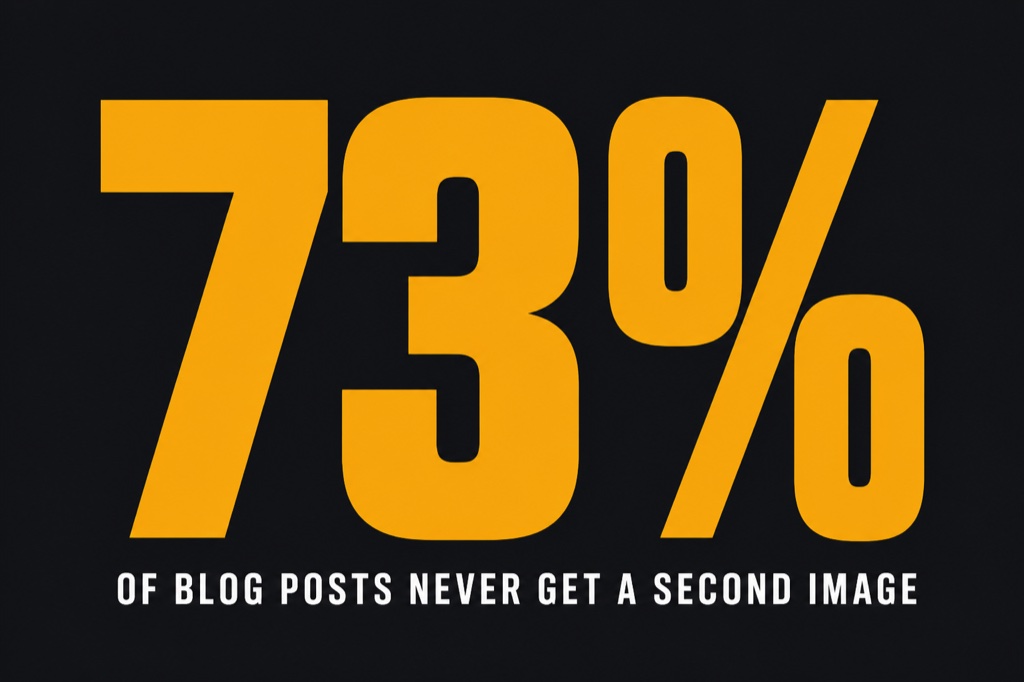
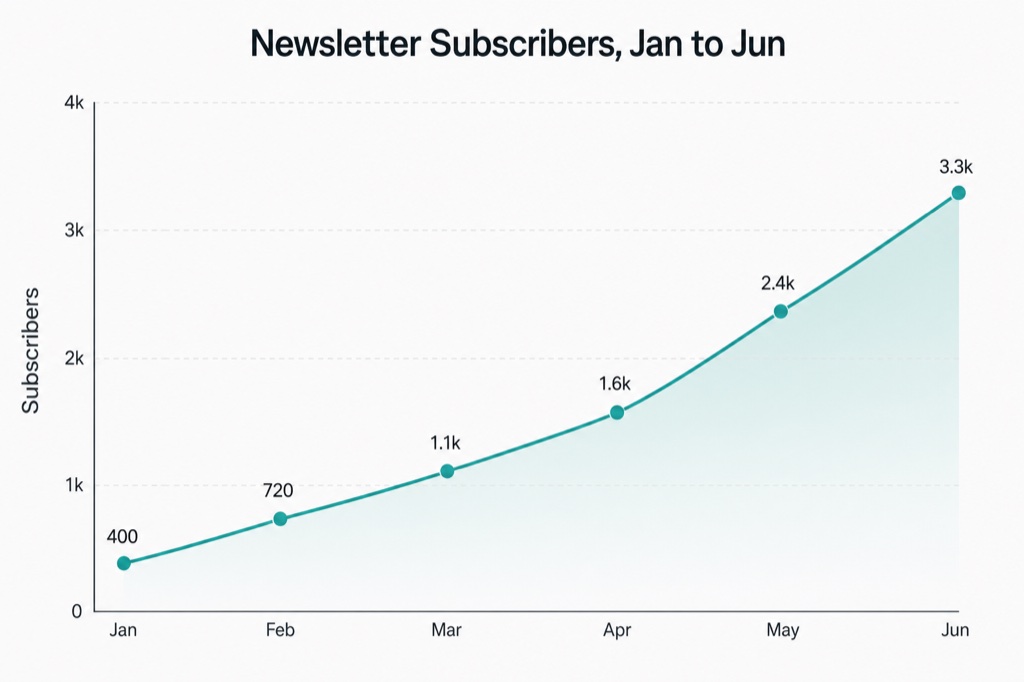
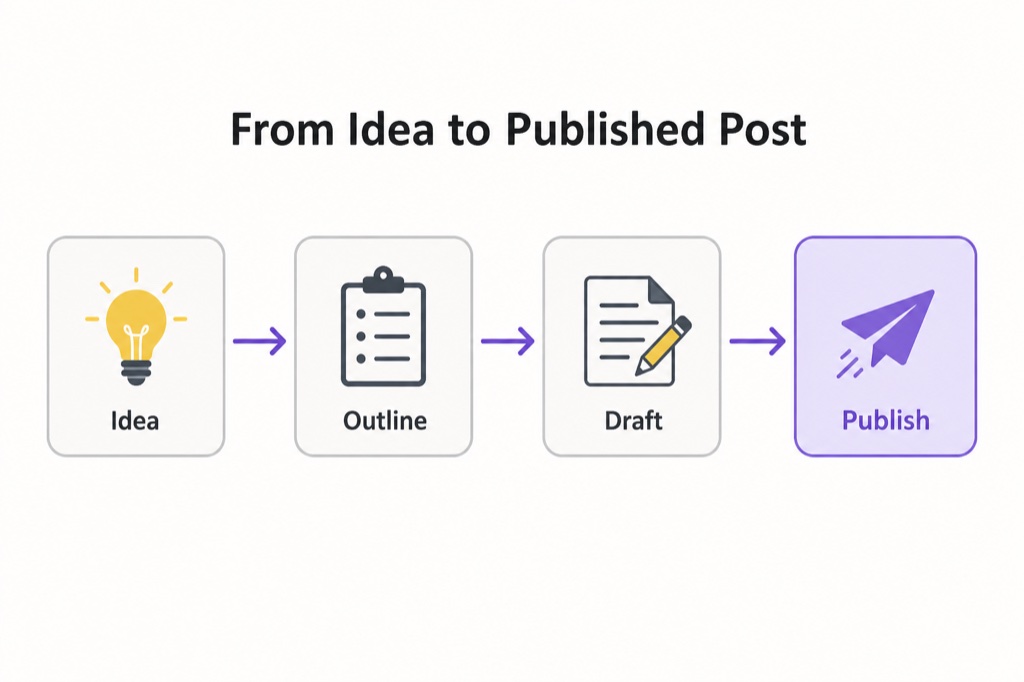
A real image for
every section
AI writes the words in seconds, then leaves you a wall of text. This fills it with images that fit the topic and don't scream “AI generated”.
Paste your blog post
Drop in the whole post, or just the section you want an image for. No signup. For infographics and charts, include the part with the real steps or numbers.
Pick the image type
Cover, section illustration, infographic, chart, diagram or quote card. Or start from a style in the gallery and we match it to your topic.
Get the prompt, render it
We write the exact prompt from your content, then open it pre-filled in Studio AI so you can render the image in a click. Free.
Proven styles,
each as a prompt
Hover any style to read its exact prompt recipe. Pick one and we rewrite it around your blog. Filter by the kind of image you need.
Cover{
"type": "blog_cover",
"style_name": "Editorial Concept Hero",
"objective": "Create a magazine-grade cover image for a blog post about {TOPIC}. Communicate the core idea with ONE strong visual metaphor, not a literal scene.",
"canvas": {
"aspect_ratio": "16:9"
},
"art_direction": {
"look": "Modern editorial illustration or clean conceptual photography. Confident, restrained, art-directed.",
"composition": "One clear focal subject, generous negative space, rule-of-thirds placement so a title could sit beside it.",
"color": "A tight two or three colour palette that fits the topic's mood. No rainbow gradients.",
"lighting": "Soft directional light with intentional shadow."
},
"subject": "A single symbolic object or scene that captures {TOPIC}.",
"text_policy": "Render any on-image text crisply and spelled exactly as written, in a clean modern sans-serif. Keep words to the minimum needed. Never invent numbers or labels that were not provided.",
"avoid": [
"generic AI stock-photo look",
"warped, misspelled or gibberish text",
"meaningless glowing swooshes, particles or circuit-board motifs",
"overused blue tech gradients",
"plastic, over-glossy 3D render",
"cluttered composition with no focal point",
"fake charts with unreadable or random numbers",
"watermarks or signatures"
]
}Select this style
Opens the generator with this style ready. Just add your blog or the section it needs, and we write the prompt. Free.
Editorial Concept Hero
A single strong metaphor for the post, magazine-grade, with lots of clean negative space.
Cover{
"type": "blog_cover",
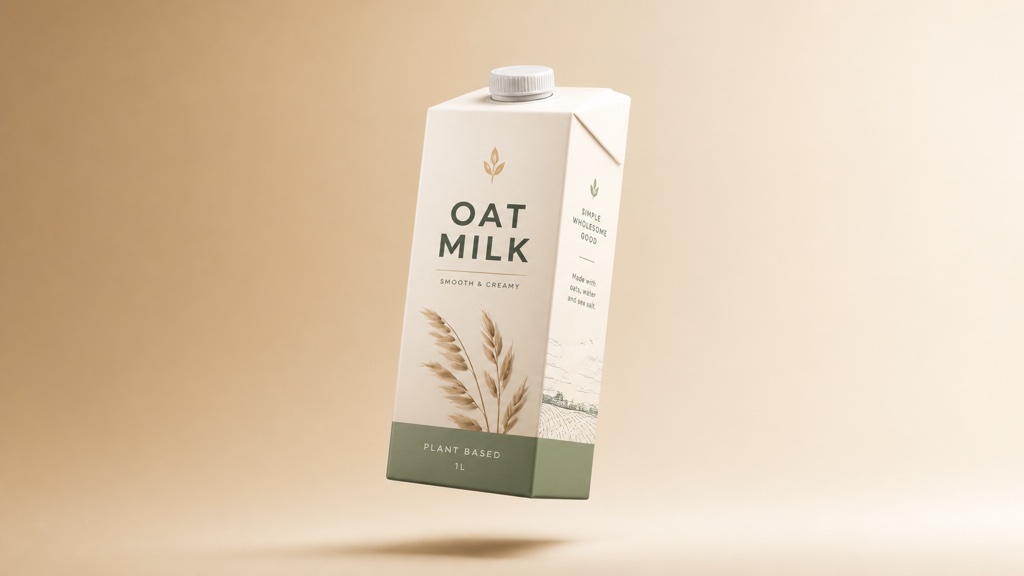
"style_name": "Gradient Object Spotlight",
"objective": "Create a clean, modern cover for a post about {TOPIC}: a single hero object representing the topic, spotlit on a soft gradient studio backdrop.",
"canvas": {
"aspect_ratio": "16:9"
},
"art_direction": {
"look": "Minimal product-photography feel. High craft, calm, premium.",
"composition": "Hero object centred or on a third, floating with a soft contact shadow, wide margins.",
"color": "A smooth two-tone gradient background in muted brand-like tones, one accent colour on the object.",
"lighting": "Soft studio softbox light, gentle rim light, realistic soft shadow."
},
"subject": "A single clean object that symbolises {TOPIC}, rendered with real material detail.",
"text_policy": "Render any on-image text crisply and spelled exactly as written, in a clean modern sans-serif. Keep words to the minimum needed. Never invent numbers or labels that were not provided.",
"avoid": [
"generic AI stock-photo look",
"warped, misspelled or gibberish text",
"meaningless glowing swooshes, particles or circuit-board motifs",
"overused blue tech gradients",
"plastic, over-glossy 3D render",
"cluttered composition with no focal point",
"fake charts with unreadable or random numbers",
"watermarks or signatures"
]
}Select this style
Opens the generator with this style ready. Just add your blog or the section it needs, and we write the prompt. Free.
Gradient Object Spotlight
One symbolic object floating on a soft studio gradient. The clean SaaS-blog cover look.
Cover{
"type": "blog_cover",
"style_name": "Isometric Tech Scene",
"objective": "Create a flat isometric vector illustration for a post about {TOPIC}, showing the key elements of the topic as a small connected scene.",
"canvas": {
"aspect_ratio": "16:9"
},
"art_direction": {
"look": "Flat 2.5D isometric vector illustration, even line weights, subtle long shadows.",
"composition": "A compact isometric cluster centred with breathing room, viewed from a consistent 30-degree angle.",
"color": "A limited flat palette of 4 to 5 colours with one accent, soft background tint.",
"lighting": "Flat, no photorealistic light; use tonal shading only."
},
"subject": "An isometric scene of the objects and steps involved in {TOPIC}.",
"text_policy": "Render any on-image text crisply and spelled exactly as written, in a clean modern sans-serif. Keep words to the minimum needed. Never invent numbers or labels that were not provided.",
"avoid": [
"generic AI stock-photo look",
"warped, misspelled or gibberish text",
"meaningless glowing swooshes, particles or circuit-board motifs",
"overused blue tech gradients",
"plastic, over-glossy 3D render",
"cluttered composition with no focal point",
"fake charts with unreadable or random numbers",
"watermarks or signatures"
]
}Select this style
Opens the generator with this style ready. Just add your blog or the section it needs, and we write the prompt. Free.
Isometric Tech Scene
A flat isometric vector scene, the classic clean tech-blog illustration.
Section{
"type": "blog_section",
"style_name": "Cinematic Concept Metaphor",
"objective": "Create a photographic image that visually represents the idea of this section: {SECTION}. Use metaphor, not a literal diagram.",
"canvas": {
"aspect_ratio": "3:2"
},
"art_direction": {
"look": "Cinematic editorial photography, shallow depth of field, real textures.",
"composition": "One clear subject that stands in for the section's idea, with intentional framing.",
"color": "A cohesive graded palette matching the section's tone.",
"lighting": "Natural or cinematic lighting with real shadow and highlight."
},
"subject": "A metaphorical scene for {SECTION}.",
"text_policy": "No text on this image unless a short caption is explicitly requested.",
"avoid": [
"generic AI stock-photo look",
"warped, misspelled or gibberish text",
"meaningless glowing swooshes, particles or circuit-board motifs",
"overused blue tech gradients",
"plastic, over-glossy 3D render",
"cluttered composition with no focal point",
"fake charts with unreadable or random numbers",
"watermarks or signatures"
]
}Select this style
Opens the generator with this style ready. Just add your blog or the section it needs, and we write the prompt. Free.
Cinematic Concept Metaphor
A photographic metaphor for one section's idea. Feels shot, not generated.
Section{
"type": "blog_section",
"style_name": "Clean Flat Illustration",
"objective": "Create a clean flat vector illustration for this section: {SECTION}. Show the single idea simply and clearly.",
"canvas": {
"aspect_ratio": "3:2"
},
"art_direction": {
"look": "Modern flat editorial illustration, confident shapes, minimal detail.",
"composition": "One central concept, lots of margin, balanced.",
"color": "Two main colours plus one accent and a soft background.",
"lighting": "Flat tonal shading only."
},
"subject": "A flat illustration of the idea in {SECTION}.",
"text_policy": "Render any on-image text crisply and spelled exactly as written, in a clean modern sans-serif. Keep words to the minimum needed. Never invent numbers or labels that were not provided.",
"avoid": [
"generic AI stock-photo look",
"warped, misspelled or gibberish text",
"meaningless glowing swooshes, particles or circuit-board motifs",
"overused blue tech gradients",
"plastic, over-glossy 3D render",
"cluttered composition with no focal point",
"fake charts with unreadable or random numbers",
"watermarks or signatures"
]
}Select this style
Opens the generator with this style ready. Just add your blog or the section it needs, and we write the prompt. Free.
Clean Flat Illustration
A simple two-colour flat illustration for a section, editorial and uncluttered.
Infographic{
"type": "blog_infographic",
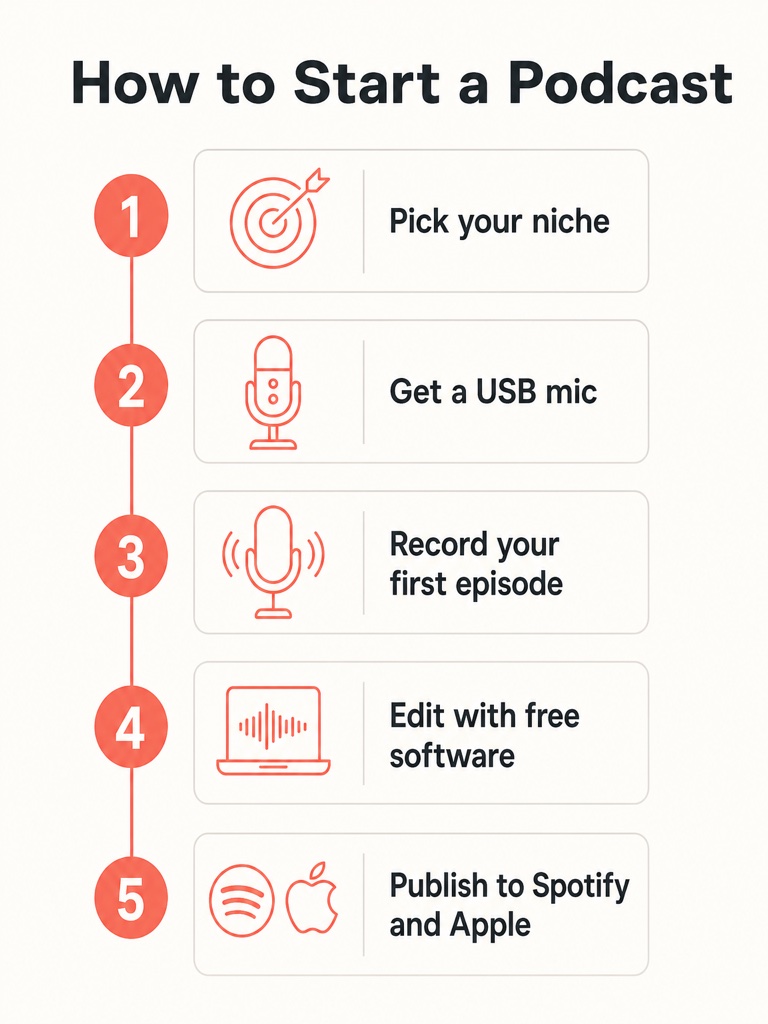
"style_name": "Numbered Steps",
"objective": "Create a clean vertical infographic that lays out these ordered steps from the post: {DATA}. Each step gets a number, a short label and a simple icon.",
"canvas": {
"aspect_ratio": "4:5"
},
"art_direction": {
"look": "Minimal flat infographic, generous whitespace, consistent icon style, thin connecting line between steps.",
"composition": "A single vertical column of numbered step blocks, evenly spaced, clear hierarchy.",
"color": "One accent colour for the numbers and icons on a light background.",
"typography": "Clean modern sans-serif; short step labels only."
},
"content": "Use exactly the steps provided in {DATA}, in order. Do not add or invent steps.",
"text_policy": "Render any on-image text crisply and spelled exactly as written, in a clean modern sans-serif. Keep words to the minimum needed. Never invent numbers or labels that were not provided.",
"avoid": [
"generic AI stock-photo look",
"warped, misspelled or gibberish text",
"meaningless glowing swooshes, particles or circuit-board motifs",
"overused blue tech gradients",
"plastic, over-glossy 3D render",
"cluttered composition with no focal point",
"fake charts with unreadable or random numbers",
"watermarks or signatures"
]
}Select this style
Opens the generator with this style ready. Just add your blog or the section it needs, and we write the prompt. Free.
Numbered Steps
The steps from your section as a clean vertical numbered infographic.
Infographic{
"type": "blog_infographic",
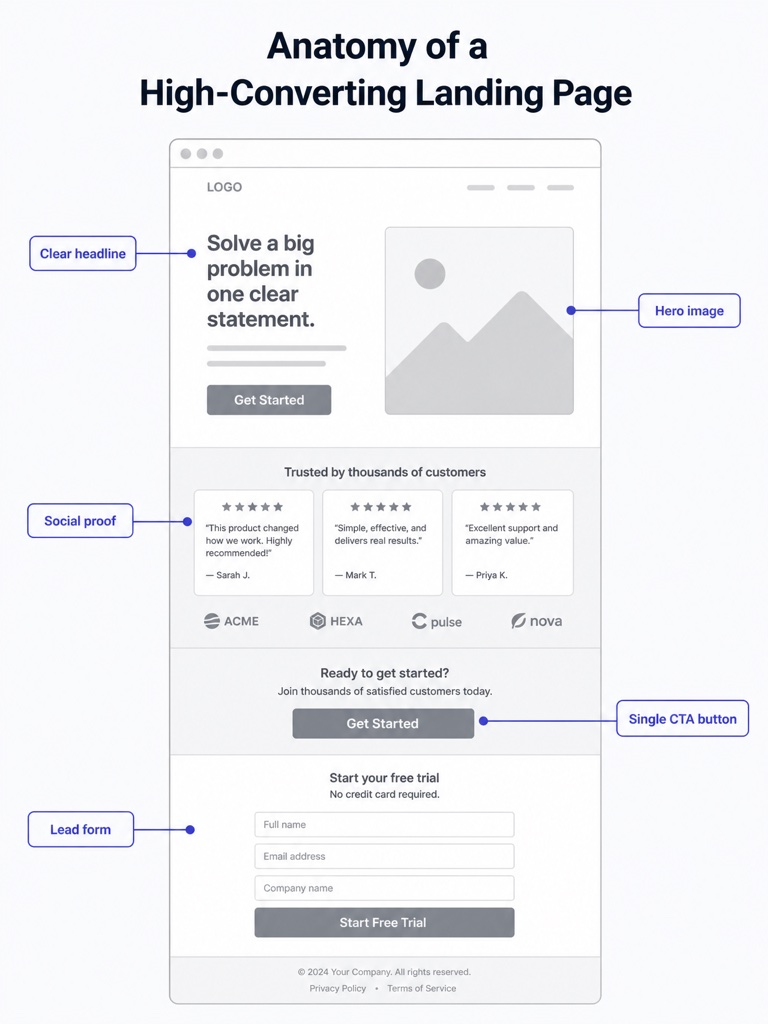
"style_name": "Labeled Callouts",
"objective": "Create an 'anatomy' style infographic: one central subject with labelled callout lines pointing to its key parts. Use these labels: {DATA}.",
"canvas": {
"aspect_ratio": "4:5"
},
"art_direction": {
"look": "Clean explainer illustration with thin leader lines and small label chips.",
"composition": "Central hero subject with 3 to 6 evenly distributed callouts around it.",
"color": "Neutral subject, one accent colour for the leader lines and labels.",
"typography": "Small, crisp sans-serif labels."
},
"content": "Attach exactly the labels in {DATA} to the correct parts. Do not invent extra labels.",
"text_policy": "Render any on-image text crisply and spelled exactly as written, in a clean modern sans-serif. Keep words to the minimum needed. Never invent numbers or labels that were not provided.",
"avoid": [
"generic AI stock-photo look",
"warped, misspelled or gibberish text",
"meaningless glowing swooshes, particles or circuit-board motifs",
"overused blue tech gradients",
"plastic, over-glossy 3D render",
"cluttered composition with no focal point",
"fake charts with unreadable or random numbers",
"watermarks or signatures"
]
}Select this style
Opens the generator with this style ready. Just add your blog or the section it needs, and we write the prompt. Free.
Labeled Callouts
One central object with clean callout labels pulled from your section.
Infographic{
"type": "blog_infographic",
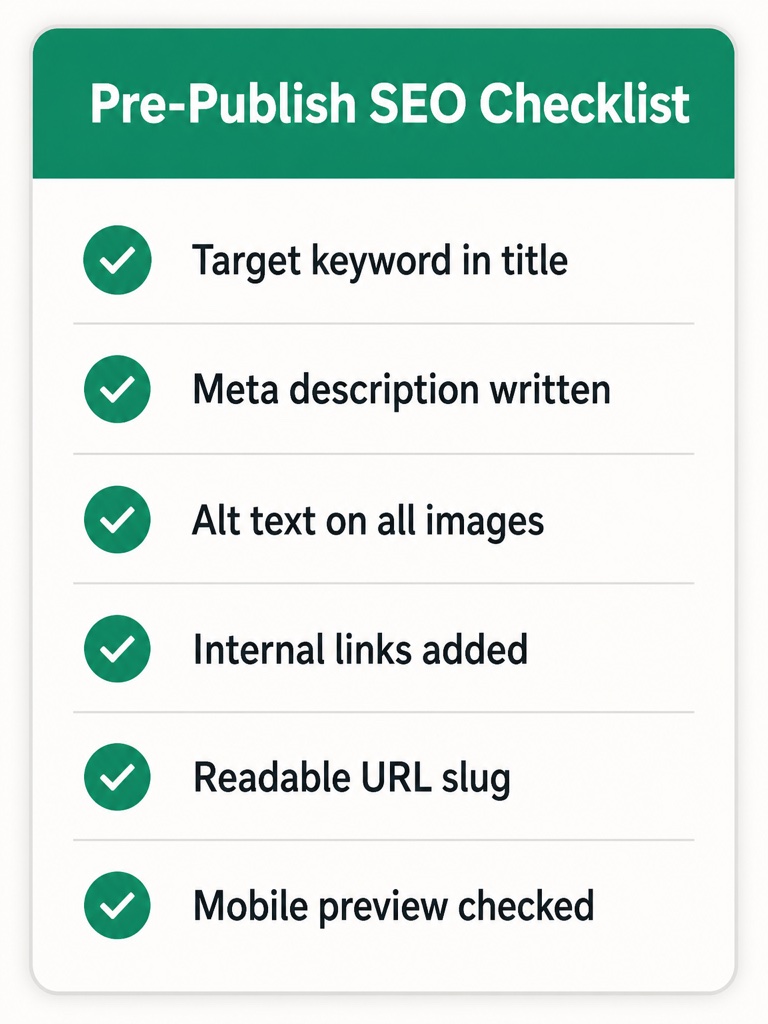
"style_name": "Checklist Card",
"objective": "Create a shareable checklist card from these points in the post: {DATA}. Each point is a row with a check icon and short text.",
"canvas": {
"aspect_ratio": "4:5"
},
"art_direction": {
"look": "Tidy card with a short title bar, rounded container, consistent check icons.",
"composition": "A title at the top, then evenly spaced check rows, comfortable padding.",
"color": "Light card, one accent colour for the checks and title.",
"typography": "Bold short title, clean sans-serif rows."
},
"content": "Use exactly the points in {DATA}. Keep each row to a few words.",
"text_policy": "Render any on-image text crisply and spelled exactly as written, in a clean modern sans-serif. Keep words to the minimum needed. Never invent numbers or labels that were not provided.",
"avoid": [
"generic AI stock-photo look",
"warped, misspelled or gibberish text",
"meaningless glowing swooshes, particles or circuit-board motifs",
"overused blue tech gradients",
"plastic, over-glossy 3D render",
"cluttered composition with no focal point",
"fake charts with unreadable or random numbers",
"watermarks or signatures"
]
}Select this style
Opens the generator with this style ready. Just add your blog or the section it needs, and we write the prompt. Free.
Checklist Card
Your tips or takeaways as a tidy checklist graphic readers can screenshot.
Chart{
"type": "blog_chart",
"style_name": "Editorial Bar Chart",
"objective": "Create a clean editorial bar chart using exactly this data from the post: {DATA}. Every bar height must match its value and every label and number must be correct.",
"canvas": {
"aspect_ratio": "3:2"
},
"art_direction": {
"look": "Minimal data-visualisation style, thin baseline, no 3D, no heavy gridlines.",
"composition": "Bars evenly spaced with a short title, axis labels and value labels on each bar.",
"color": "One accent colour for the bars, one muted for context, light background.",
"typography": "Small crisp sans-serif for labels and values."
},
"content": "Plot only the categories and values in {DATA}. Do not fabricate or round away the real numbers.",
"text_policy": "Spell every category label exactly and print each value accurately. Never invent data points.",
"avoid": [
"generic AI stock-photo look",
"warped, misspelled or gibberish text",
"meaningless glowing swooshes, particles or circuit-board motifs",
"overused blue tech gradients",
"plastic, over-glossy 3D render",
"cluttered composition with no focal point",
"fake charts with unreadable or random numbers",
"watermarks or signatures"
]
}Select this style
Opens the generator with this style ready. Just add your blog or the section it needs, and we write the prompt. Free.
Editorial Bar Chart
Your numbers as a clean, correctly-labelled bar chart, not fake AI data.
Chart{
"type": "blog_chart",
"style_name": "Big Stat Spotlight",
"objective": "Create a bold stat graphic built around the single key figure from the post: {DATA}. The number is the hero; add one short supporting label underneath.",
"canvas": {
"aspect_ratio": "3:2"
},
"art_direction": {
"look": "Confident typographic poster, one giant number, minimal supporting elements.",
"composition": "The number dominates the centre, short label beneath, generous margins.",
"color": "High-contrast: dark background with one bright accent, or light with a deep accent.",
"typography": "Heavy display sans-serif for the number, clean small caps for the label."
},
"content": "Use exactly the figure and label in {DATA}. Do not change or invent the number.",
"text_policy": "Print the exact figure and label, spelled correctly. No other text.",
"avoid": [
"generic AI stock-photo look",
"warped, misspelled or gibberish text",
"meaningless glowing swooshes, particles or circuit-board motifs",
"overused blue tech gradients",
"plastic, over-glossy 3D render",
"cluttered composition with no focal point",
"fake charts with unreadable or random numbers",
"watermarks or signatures"
]
}Select this style
Opens the generator with this style ready. Just add your blog or the section it needs, and we write the prompt. Free.
Big Stat Spotlight
One key number blown up huge with a short supporting line. Instant shareable.
Chart{
"type": "blog_chart",
"style_name": "Trend Line",
"objective": "Create a minimal line chart showing the trend in this data from the post: {DATA}. One clean line, correct shape, labelled start and end.",
"canvas": {
"aspect_ratio": "3:2"
},
"art_direction": {
"look": "Sparse editorial line chart, single smooth line, subtle area fill, no clutter.",
"composition": "A short title, the line spanning the frame, a few labelled points along the x axis.",
"color": "One accent line with a faint gradient fill on a light background.",
"typography": "Small crisp sans-serif axis and point labels."
},
"content": "Plot exactly the sequence in {DATA}; the line's rises and falls must match the real values.",
"text_policy": "Label axes and key points accurately. Never invent extra data.",
"avoid": [
"generic AI stock-photo look",
"warped, misspelled or gibberish text",
"meaningless glowing swooshes, particles or circuit-board motifs",
"overused blue tech gradients",
"plastic, over-glossy 3D render",
"cluttered composition with no focal point",
"fake charts with unreadable or random numbers",
"watermarks or signatures"
]
}Select this style
Opens the generator with this style ready. Just add your blog or the section it needs, and we write the prompt. Free.
Trend Line
A single clean line showing the change over time from your section.
Diagram{
"type": "blog_diagram",
"style_name": "Process Flow",
"objective": "Create a horizontal process-flow diagram of these stages from the post: {DATA}. Each stage is a node with a short label, connected left to right by arrows.",
"canvas": {
"aspect_ratio": "3:2"
},
"art_direction": {
"look": "Clean flowchart, rounded node boxes, consistent arrows, flat style.",
"composition": "Nodes in a single horizontal row (wrap to two rows only if many), evenly spaced.",
"color": "Neutral nodes, one accent for the arrows and the active step.",
"typography": "Short sans-serif labels inside each node."
},
"content": "Use exactly the stages in {DATA}, in order. Do not add stages.",
"text_policy": "Render any on-image text crisply and spelled exactly as written, in a clean modern sans-serif. Keep words to the minimum needed. Never invent numbers or labels that were not provided.",
"avoid": [
"generic AI stock-photo look",
"warped, misspelled or gibberish text",
"meaningless glowing swooshes, particles or circuit-board motifs",
"overused blue tech gradients",
"plastic, over-glossy 3D render",
"cluttered composition with no focal point",
"fake charts with unreadable or random numbers",
"watermarks or signatures"
]
}Select this style
Opens the generator with this style ready. Just add your blog or the section it needs, and we write the prompt. Free.
Process Flow
Your section's steps as a left-to-right flow with connecting arrows.
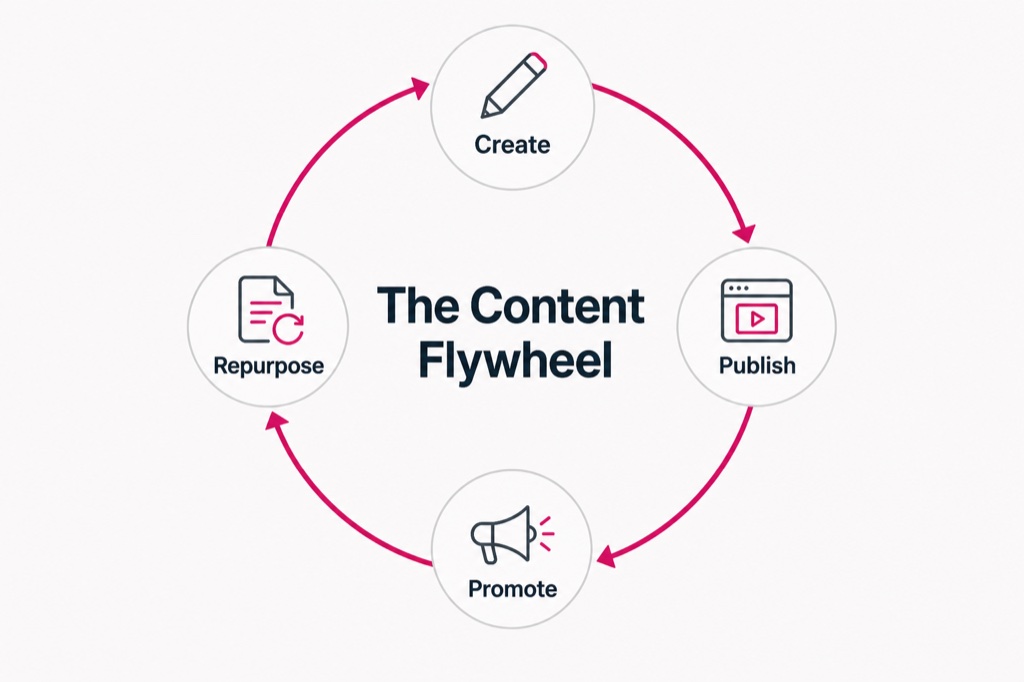
Diagram{
"type": "blog_diagram",
"style_name": "Cycle Diagram",
"objective": "Create a circular cycle diagram of these repeating phases from the post: {DATA}. Phases sit around a ring with curved arrows showing the loop.",
"canvas": {
"aspect_ratio": "3:2"
},
"art_direction": {
"look": "Clean flat cycle diagram, evenly spaced nodes on a ring, curved connecting arrows.",
"composition": "Balanced ring centred in the frame, short label per node, small icon optional.",
"color": "One accent for the ring arrows, neutral nodes, light background.",
"typography": "Short crisp sans-serif labels."
},
"content": "Place exactly the phases in {DATA} around the ring, in order. Do not invent phases.",
"text_policy": "Render any on-image text crisply and spelled exactly as written, in a clean modern sans-serif. Keep words to the minimum needed. Never invent numbers or labels that were not provided.",
"avoid": [
"generic AI stock-photo look",
"warped, misspelled or gibberish text",
"meaningless glowing swooshes, particles or circuit-board motifs",
"overused blue tech gradients",
"plastic, over-glossy 3D render",
"cluttered composition with no focal point",
"fake charts with unreadable or random numbers",
"watermarks or signatures"
]
}Select this style
Opens the generator with this style ready. Just add your blog or the section it needs, and we write the prompt. Free.
Cycle Diagram
A circular loop for a repeating process from your section.
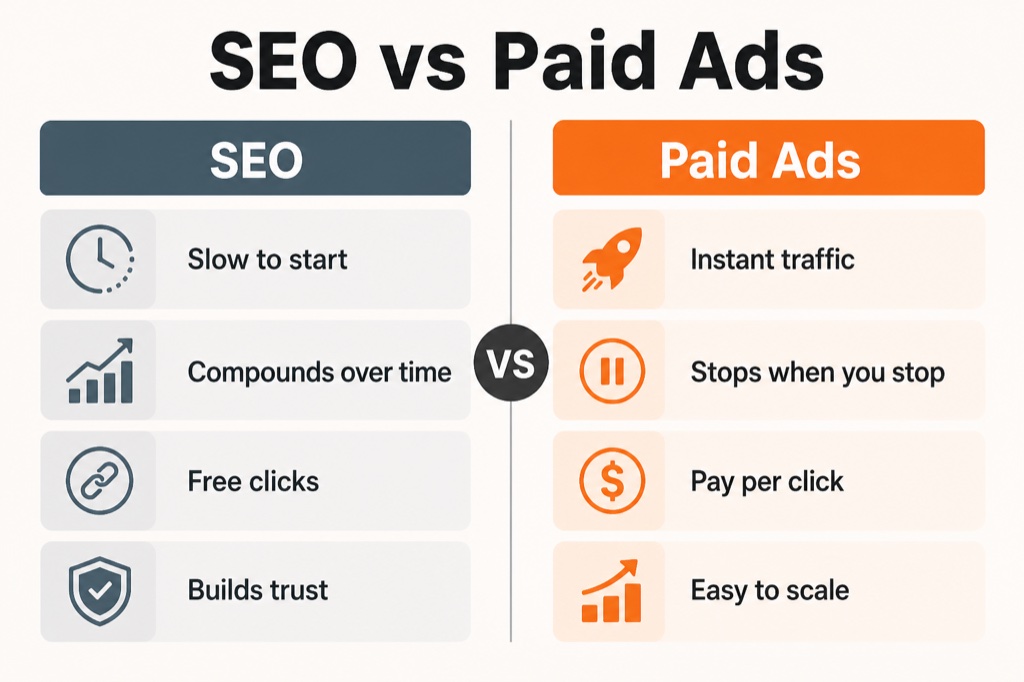
Diagram{
"type": "blog_diagram",
"style_name": "Comparison Split",
"objective": "Create a two-column comparison graphic contrasting the two options in the post: {DATA}. Each column has a heading and a short list of points.",
"canvas": {
"aspect_ratio": "3:2"
},
"art_direction": {
"look": "Balanced split layout with a centre divider, matching icons per side.",
"composition": "Two equal columns, a heading chip on each, 3 to 5 aligned rows.",
"color": "One muted colour for the left side, one accent for the right, neutral background.",
"typography": "Bold column headings, clean sans-serif rows."
},
"content": "Use exactly the two options and points in {DATA}. Keep each point short.",
"text_policy": "Render any on-image text crisply and spelled exactly as written, in a clean modern sans-serif. Keep words to the minimum needed. Never invent numbers or labels that were not provided.",
"avoid": [
"generic AI stock-photo look",
"warped, misspelled or gibberish text",
"meaningless glowing swooshes, particles or circuit-board motifs",
"overused blue tech gradients",
"plastic, over-glossy 3D render",
"cluttered composition with no focal point",
"fake charts with unreadable or random numbers",
"watermarks or signatures"
]
}Select this style
Opens the generator with this style ready. Just add your blog or the section it needs, and we write the prompt. Free.
Comparison Split
A tidy two-column 'this vs that' from your section's comparison.
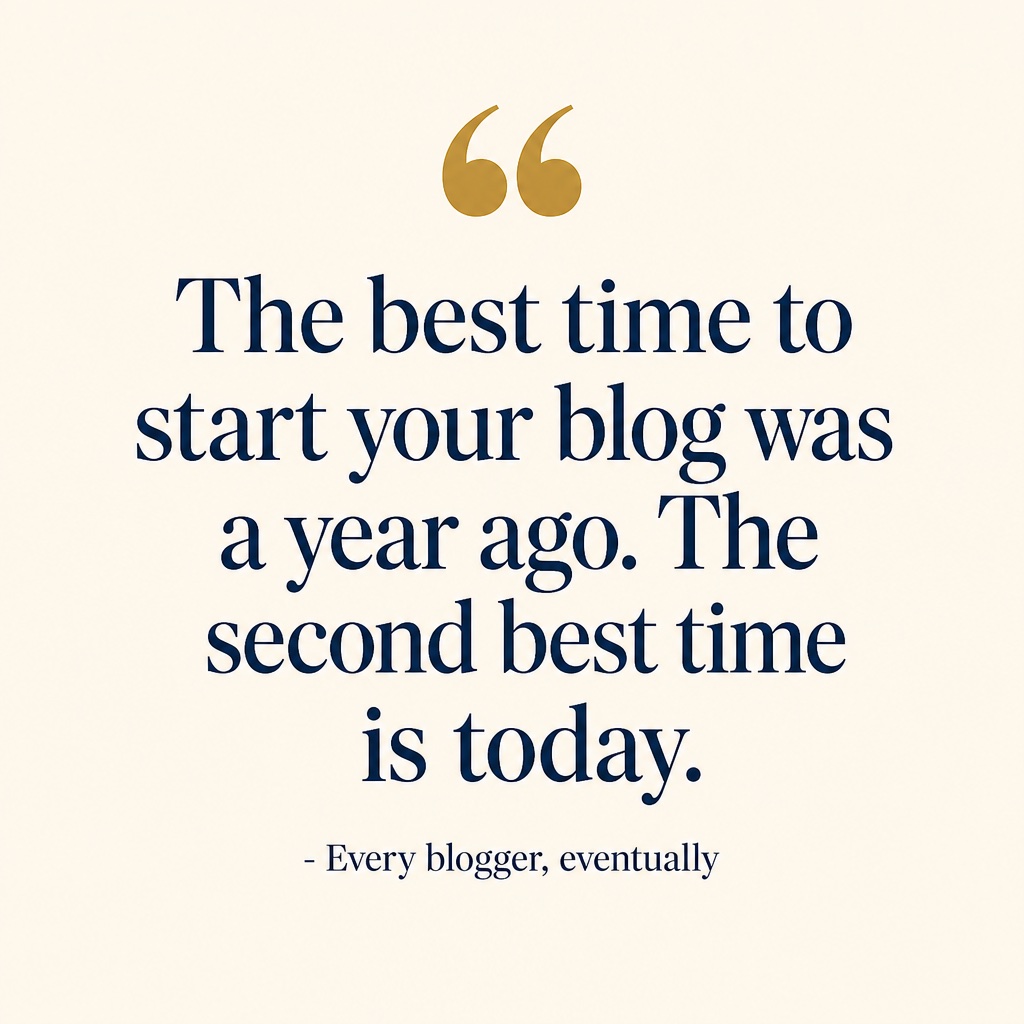
Quote card{
"type": "blog_quote",
"style_name": "Pull Quote Card",
"objective": "Create a typographic pull-quote card using this exact line from the post: {DATA}. The words are the design.",
"canvas": {
"aspect_ratio": "1:1"
},
"art_direction": {
"look": "Editorial quote card, large quotation mark, confident type layout.",
"composition": "The quote centred with a large opening quote mark, small attribution line if provided, wide margins.",
"color": "A calm two-tone palette, one accent on the quote mark.",
"typography": "A refined serif or grotesk for the quote; keep it perfectly legible."
},
"content": "Typeset exactly the sentence in {DATA}. Do not paraphrase or add words.",
"text_policy": "Reproduce the quote verbatim and spelled correctly. No extra text beyond an optional attribution.",
"avoid": [
"generic AI stock-photo look",
"warped, misspelled or gibberish text",
"meaningless glowing swooshes, particles or circuit-board motifs",
"overused blue tech gradients",
"plastic, over-glossy 3D render",
"cluttered composition with no focal point",
"fake charts with unreadable or random numbers",
"watermarks or signatures"
]
}Select this style
Opens the generator with this style ready. Just add your blog or the section it needs, and we write the prompt. Free.
Pull Quote Card
A key line from your post set as a clean typographic quote card.
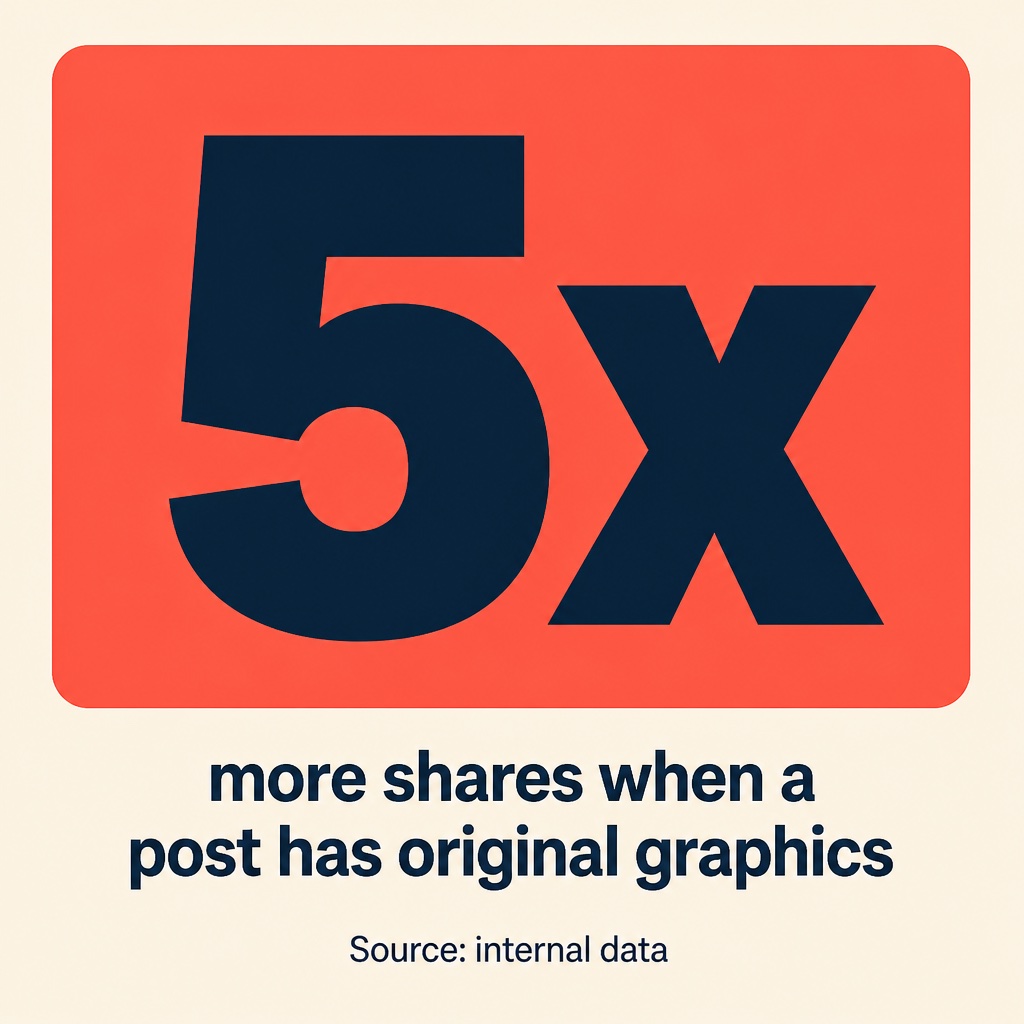
Quote card{
"type": "blog_quote",
"style_name": "Stat Callout Card",
"objective": "Create a square stat callout card built around this figure from the post: {DATA}. Big number, short caption beneath.",
"canvas": {
"aspect_ratio": "1:1"
},
"art_direction": {
"look": "Clean social-ready stat card, one dominant number, tidy caption.",
"composition": "Number centred and large, caption beneath, small source line if provided, even margins.",
"color": "High-contrast palette with one accent behind or under the number.",
"typography": "Heavy display sans for the number, clean caption type."
},
"content": "Use exactly the figure and caption in {DATA}. Never change the number.",
"text_policy": "Print the exact figure and caption, spelled correctly.",
"avoid": [
"generic AI stock-photo look",
"warped, misspelled or gibberish text",
"meaningless glowing swooshes, particles or circuit-board motifs",
"overused blue tech gradients",
"plastic, over-glossy 3D render",
"cluttered composition with no focal point",
"fake charts with unreadable or random numbers",
"watermarks or signatures"
]
}Select this style
Opens the generator with this style ready. Just add your blog or the section it needs, and we write the prompt. Free.
Stat Callout Card
A square stat card, one figure plus a short caption, sized for social.
Frequently asked questions
Everything you need to know about generating blog images
What is Blog Image Prompts?+
It is a free tool that writes the exact AI image prompt for the pictures inside a blog post. Paste your post, choose the kind of image you need (cover, section illustration, infographic, chart, diagram or quote card), and it generates a ready-to-render prompt matched to your topic. You then render the image in Studio AI or any model you like. No signup.
Why do AI blog posts need images?+
AI writes a whole article in seconds, but it leaves you a wall of text that readers bounce off and that search engines see as thin. Adding one relevant image per section breaks up the page, improves time on page, and gives you something to share. The catch is that most AI blog images look obviously generated, so this tool is built to avoid that.
How is this different from just asking an AI to make a blog image?+
A generic request gives you the usual AI slop: warped text, meaningless glowing swooshes, stock-photo people. Each prompt here is art-directed with a real composition, palette and style, and for infographics, charts and diagrams it pulls the actual steps, numbers and comparisons out of your post so the graphic is accurate and legible instead of fake.
What kinds of images can it make?+
Six types: a cover / hero image for the top of the post, a section illustration to break up a chapter, an infographic from a list or process, a chart from your numbers, a diagram (flow, cycle or comparison), and a quote or stat card for sharing. Each type has proven styles you can start from in the gallery.
Does it read my actual content?+
Yes. For data-driven images it mines your pasted blog for the real steps, figures, comparisons or the most quotable line, and specifies them in the prompt spelled exactly, so the image reflects your post instead of inventing numbers. For covers and section images it builds a visual metaphor tied to your specific topic.
Which AI model do the prompts run in?+
Any image model that takes a text prompt works. Each result opens pre-filled in Studio AI so you can render it in a couple of clicks, free, and you can also copy the prompt into whatever model you prefer.
Is it really free?+
Yes. Generating the prompt is free and needs no signup. The prompts are free to use however you like, and anything you render is yours to publish in your blog. Rendering happens in whatever image tool you choose, under that tool's own terms.
How many images should a blog post have?+
A good rule is one image roughly every 300 to 500 words, or one per H2 section, plus a cover. That is usually a cover, two or three section images, and one infographic or chart for your key data. Generate each one from the matching section so every image fits the text around it.
Fill your next
post with images
Paste your blog, pick what each section needs, and get the exact prompt matched to your topic. Free, no signup, no design skills.